How To Remove 'Powered By Blogger' Attribution Gadget From Blogger
 Hello visitors...!!!
Today we gonna talking about Blogger's Attribution gadget and How to remove it.
The attribution gadget is a gadget present at footer of blog and says "Powered by Blogger".The gadget is locked,when you click on the edit link of attribution gadget you will notice that there is no Remove link,Because the gadget is locked officially by the blogger.To unlock the gadget follow my below easy steps carefully.
HOW TO REMOVE BLOGGER ATTRIBUTION GADGET
- Go to Blogger Dashboard >> Template >> Edit Html
- Don't forget to Backup your Teplate
- Now search for bellow code in your Template
Now you just have to Replace 'true' with 'false'
Now save your template and go to Layout page.
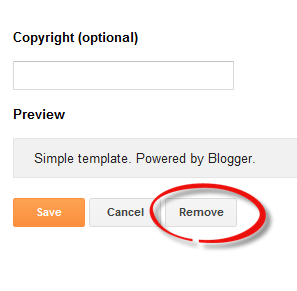
Click on the edit link of attribution widget.

Hit Remove button and you are done.
That's All you're done.... Don't forget to share this post


ReplyDeleteAwesome blog. Thanks for sharing such a worthy information...
Advantages of Marketing on Social media
advantages of using social media as a marketing tool